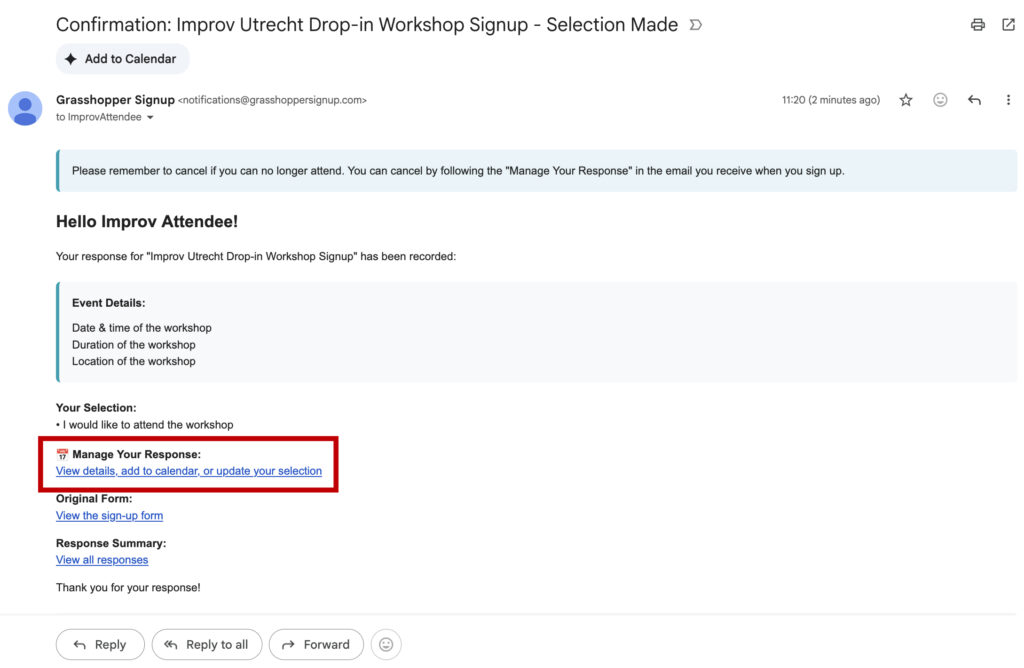
When you signed up for the dropin workshop, you will have received an email confirming your place on the workshop which looks like the image below
To cancel your place, select the “View details, add to calendar, or update your selection” link, as shown in the red box in the image above.
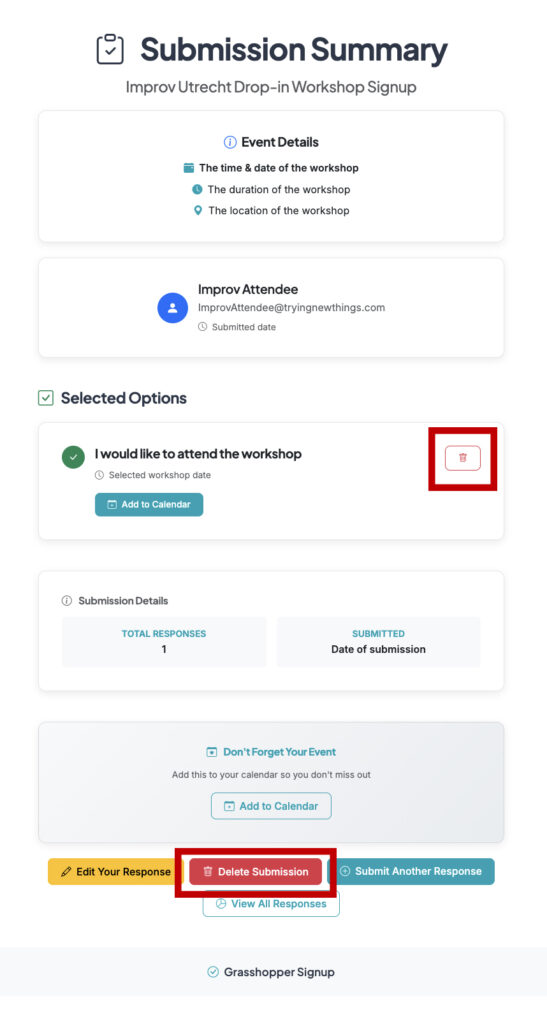
A new page will open which looks like this
To cancel your place, select the “Delete Submission” button or the trashcan icon to cancel your place. You can see them in the above image highlighted by a red box.
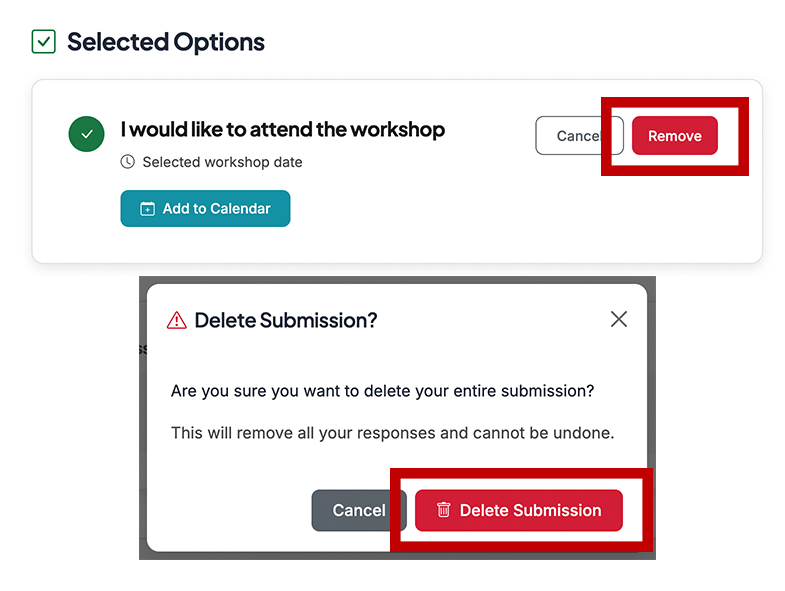
Confirm your selection by selecting the option within one of the red boxes shown in the image below, depending on which method you chose in the previous step.